

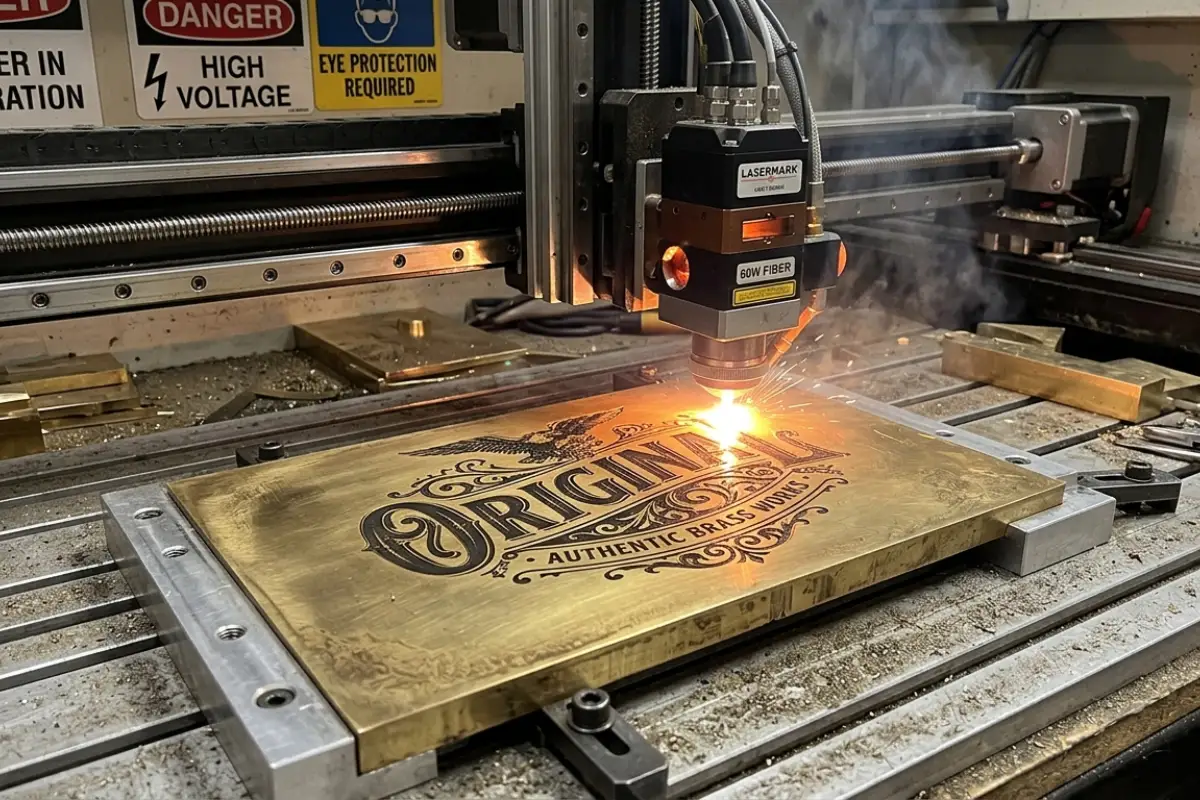
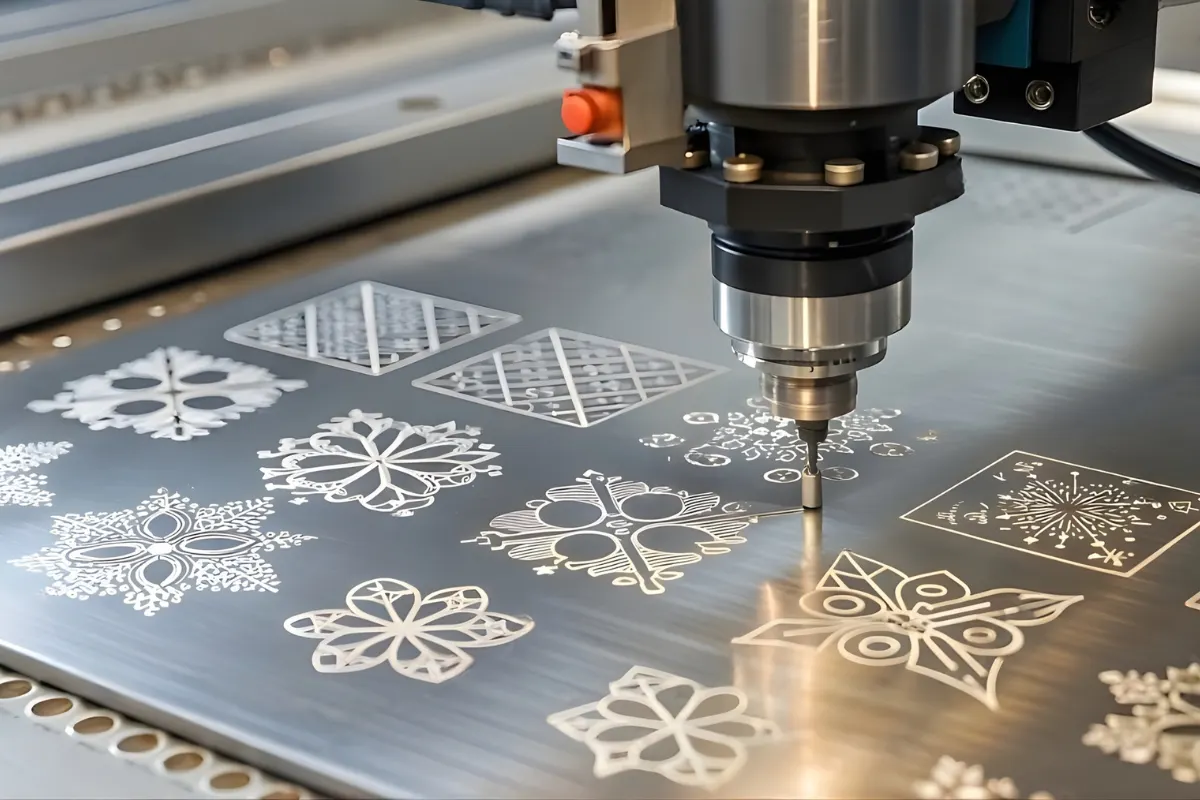
Laser engraving brass is a highly effective method for creating permanent markings on jewelry, nameplates, and industrial parts, delivering sharp and durable results. However, because brass is highly reflective, choosing the right laser technology matters.
If you’re planning to work with brass, this guide will walk you through what you need to know before getting started.
Table Of Contents
- How Does Brass React To A Laser Beam?
- Best Laser For Engraving Brass
- Laser Engraving Brass: Power, Speed & Frequency Settings
- Step-by-Step Process For Laser Engraving Brass
- Common Applications Of Laser Engraved Brass
- Common Brass Laser Engraving Issues & Solutions
- Laser Engraving Brass: Key Takeaways
- Frequently Asked Questions
How Does Brass React To A Laser Beam?
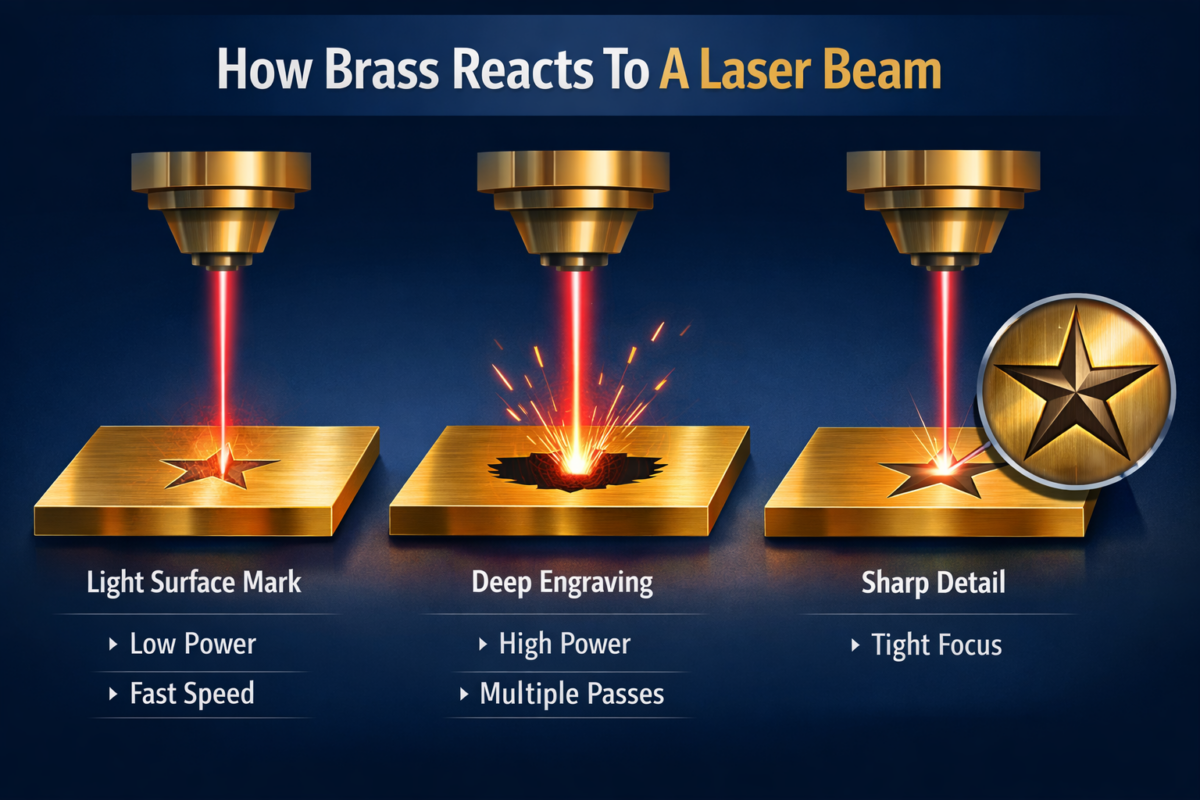
Brass reacts to a laser beam by absorbing concentrated energy at the point of contact, which creates rapid, localized heating on the surface. When you laser engrave brass, the intense heat melts or vaporizes the top layer of the metal, forming a precise, permanent mark.
The final result depends on how the brass engraver is configured:
- Lower power or faster speed: Produces a lighter surface mark.
- Higher power or multiple passes: Creates deeper engraving.
- Tight focus: Improves sharpness and edge definition.
Read more: How To Make Laser Engraving Darker: Expert Tips & Techniques
Best Laser For Engraving Brass
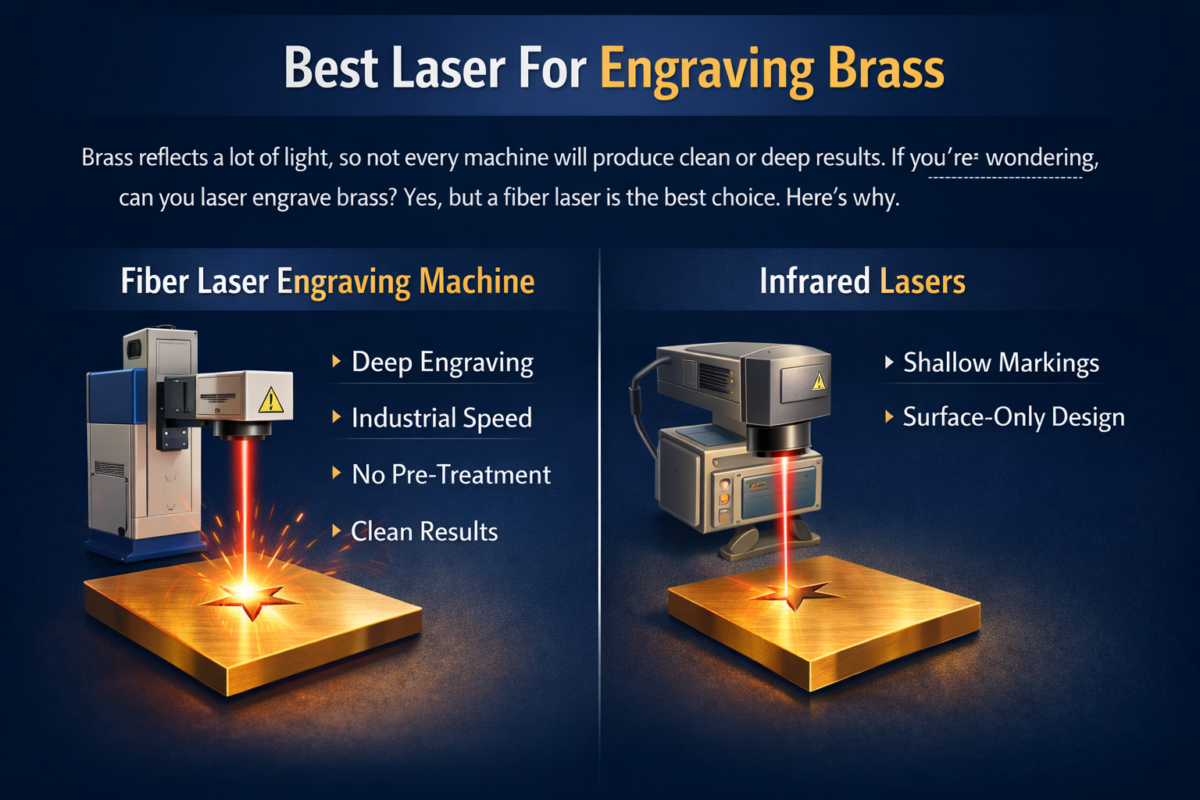
Brass reflects a lot of light, so not every machine will produce clean or deep results. If you’re wondering, can you laser engrave brass? Yes, but a fiber laser is the best choice. Here’s why:
Fiber Laser Engraving Machine
The Fiber Deep Laser Engraving Machine is highly effective for brass laser engraving because its wavelength (1064mm) is strongly absorbed by metal. This allows for:
- Deep, precise engraving
- Faster processing speeds
- No need for sprays or surface pre-treatment
- Clean, industrial-grade results
Infrared Lasers
For shallow markings on brass, Infrared Laser systems can perform the job, but they are not ideal for deep engraving. They’re better suited to surface-level designs than to heavy material removal.
Laser Engraving Brass: Power, Speed & Frequency Settings
During brass laser engraving, speed, power, frequency, and hatch spacing must be carefully balanced to achieve the desired result. Small adjustments can significantly change depth, contrast, and finish. Below are recommended starting ranges you can fine-tune based on your machine and material.
| Task | Speed (mm/s) | Power (%) | Frequency (kHz) | Hatch (mm) | Loops |
| Deep Engraving (30W–60W Fiber) | 200–600 | 80–100 | 25–40 | 0.02–0.05 | 5–20 |
| Black Marking (50W–60W Fiber) | 800–1500 | 60–80 | 40–80 | 0.03–0.06 | — |
| Fast Surface Marking (30W MOPA) | 1200–2000 | 50–70 | 50–100 | — | — |
Step-by-Step Process For Laser Engraving Brass
Here’s how the fiber laser engraving process for brass typically goes, from surface preparation to final finishing.
Prepare The Brass Surface
Ensure that you start the process with a clean surface.
- Wipe off oils, dust, and fingerprints.
- Use alcohol or acetone for better cleaning.
Set Up The Laser
Set up the fiber laser machine with the right settings.
.
- Secure the brass firmly using clamps or a jig, especially for small pieces like tags or coins.
- Make sure the workpiece is flat and stable.
Create And Import Your Design
Prepare your artwork before engraving.
- Use software like LightBurn or XCS and keep the design simple if you’re just starting out.
- Import text, logos, or images.
- For 3D engraving, use a grayscale image in which lighter areas engrave more deeply and darker areas go deeper.
Configure Laser Parameters
Typical starting range for a 30W fiber laser:
- Speed: 1200–1500 mm/s
- Power: 80–90%
- Frequency: 20–46 kHz
Frame And Engrave
Before running the job:
- Do a dry run (framing) to confirm positioning.
- Start engraving once alignment looks correct.
- For deeper or darker results, use multiple passes or slightly reduce speed.
Clean And Finish
Once the laser engraving process is complete:
- Remove residue with a soft brush or cloth.
- If you used marking spray, clean with acetone.
- Optional: Light polishing or protective coating can improve appearance.
| Pro Tip:Control the heat on thin brass, as it heats up quickly during laser engraving. To prevent slight warping or uneven depth: Pause briefly between multiple passesAvoid running deep engravings back-to-backUse a metal backing plate to absorb excess heat |
Read more: 5 Laser Engraving Business Ideas For Quick Profits In 2025
Common Applications Of Laser Engraved Brass
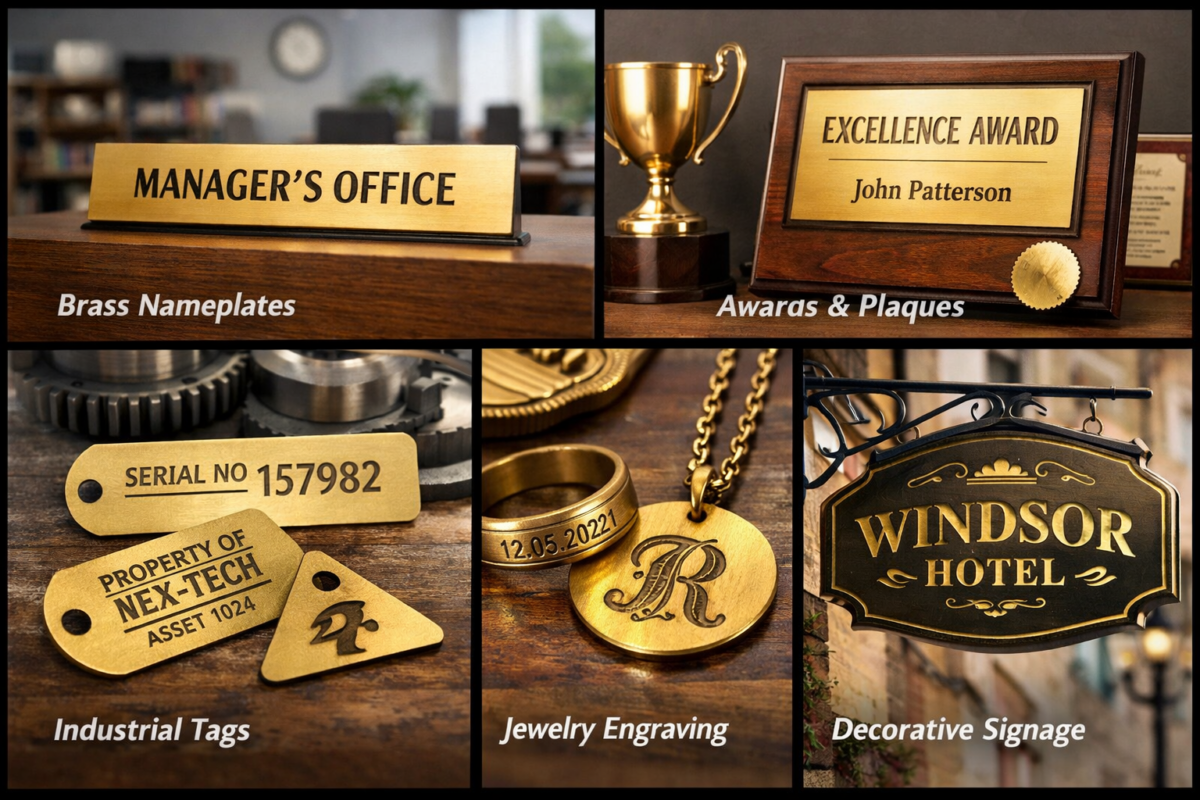
Laser engraving brass is commonly used for industrial nameplates, serial number tags, architectural signage, awards, trophies, and decorative components where durability and fine detail matter:
- Brass Nameplates: Ideal for office doors, machinery labels, and memorial plates where clarity and durability matter.
- Awards & Plaques: Used for trophies, recognition plates, and commemorative pieces with fine detail.
- Industrial Tags: Perfect for serial numbers, asset tags, and equipment labels that need to withstand handling.
- Jewelry Engraving: Popular for custom text, dates, logos, and intricate patterns on pendants, bracelets, and rings.
- Decorative Signage: Great for branded signs, interior décor accents, and premium-looking displays.
Common Brass Laser Engraving Issues & Solutions
During brass laser engraving, certain issues may affect depth, clarity, or consistency. Below are the most common challenges and their corrective measures:
- Issue: Shallow Engraving
Fix: Increase power, reduce speed, or apply additional passes to achieve the desired depth.
- Issue: Excessive Darkening or Surface Burn
Fix: Lower power settings and increase speed to prevent overheating.
- Issue: Inconsistent Engraving Depth
Fix: Verify proper focus and ensure the brass surface is flat and securely positioned.
- Issue: Weak or Incomplete Marks
Fix: Review the power settings for your fiber laser and adjust as needed.
Laser Engraving Brass: Key Takeaways
Laser engraving brass delivers sharp, durable results when the correct machine and settings are used. From selecting a fiber laser to fine-tuning power and speed, each step directly impacts quality. With proper setup, testing, and heat control, brass can be engraved cleanly and consistently for both decorative and industrial applications.
Read more: 3 Special Features of Prakash Glass Laser Engraving Machine
Frequently Asked Questions
1. What thickness of brass can be laser engraved?
Laser engraving typically affects the surface layer of brass. Thickness is not a major limitation unless cutting is required, which demands higher power and multiple passes.
2. Does laser engraving damage brass?
No, especially when proper settings are used, laser engraving does not damage brass. It removes or alters only the targeted surface area without affecting the surrounding material.
3. Can polished brass be laser engraved?
Yes, polished brass can be engraved. However, highly reflective finishes may require careful power adjustments to ensure consistent marking.
4. Is brass safe to laser engrave?
Brass is safe to engrave when proper ventilation is used. Engraving may produce minor fumes or residue, so standard workshop safety practices are recommended.
5. Can I laser cut brass?
Yes, brass can be laser-cut with a fiber laser with sufficient power. Clean, precise results typically require industrial-grade fiber systems and proper assist gas settings.