

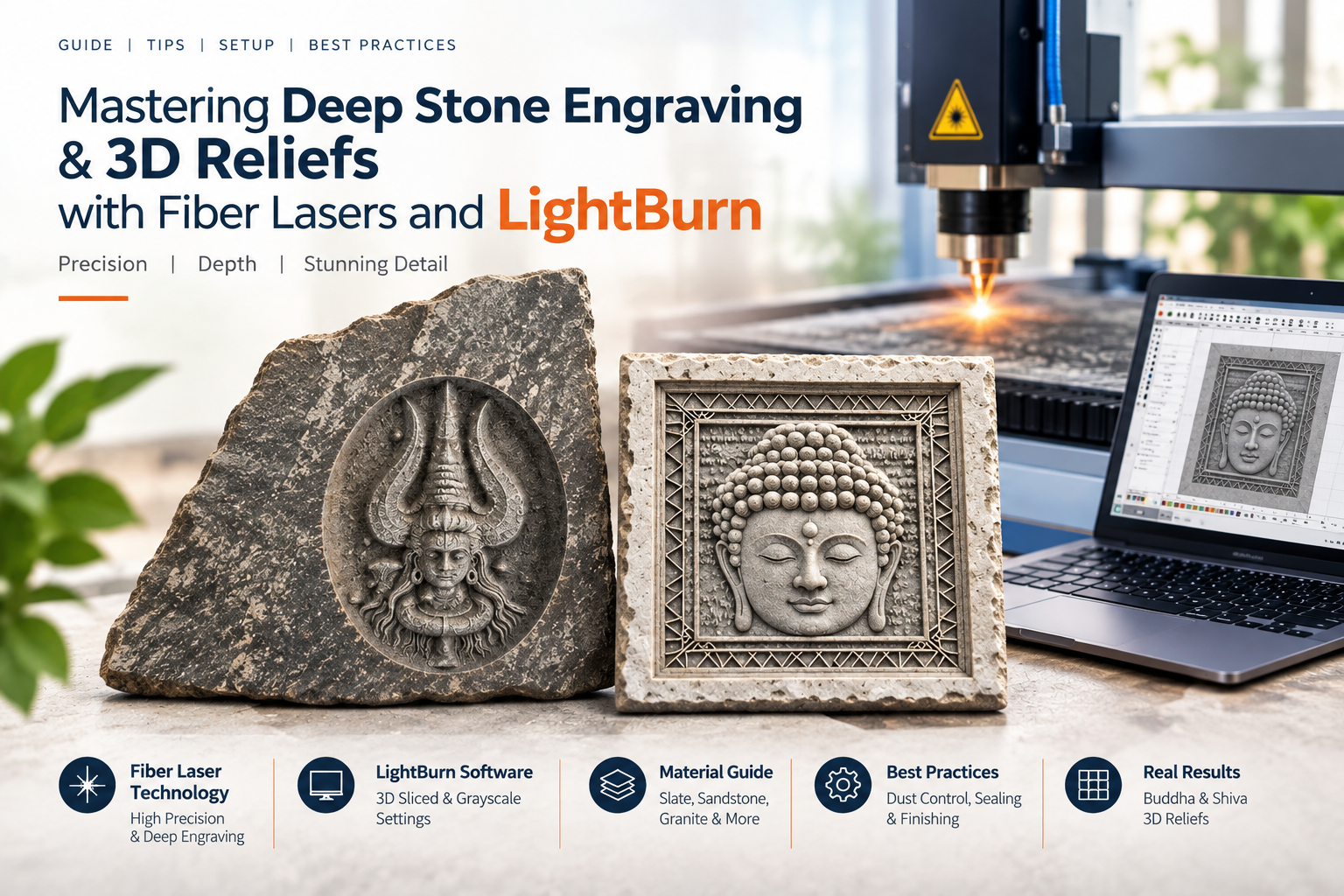
Stone carving has been used for thousands of years to create durable art, statues, and building decorations. Traditionally, people carved stone by hand using a hammer and chisel or with mechanical CNC machines. Today, modern Fiber Laser Marking Machines allow us to carve deep, detailed 3D designs into hard stone quickly and automatically.
At Prakash Laser, we recently tested our high-power fiber lasers on natural slate and sandstone tiles. Using LightBurn software, we carved detailed 3D relief designs of Lord Buddha and Lord Shiva. The results show amazing depth, crisp borders, and smooth textures.
In this easy guide, we will explain how stone laser engraving works, how to set up LightBurn software, and the best settings to get professional results.
Why Choose Fiber Lasers for Stone Carving?
While traditional CO2 lasers are great for light surface marking on slate or glass, Fiber Lasers are much better for deep 3D relief carving. Here is why:
- Super Fine Detail: The laser beam is extremely thin (thinner than a hair). This allows it to carve tiny geometric patterns and sharp edges that mechanical tools cannot touch.
- True 3D Depth: By firing the laser over the same area multiple times, it slowly removes micro-layers of stone to create real physical depth.
- No Tool Breakage: Unlike CNC drills that wear out or break on hard rocks like granite, the laser beam never touches the surface directly.
- Long Lifespan: Fiber laser sources can work for over 100,000 hours with almost no maintenance.
Real Test Results from Prakash Laser
We tested two natural stone samples using our fiber laser machine and LightBurn software:
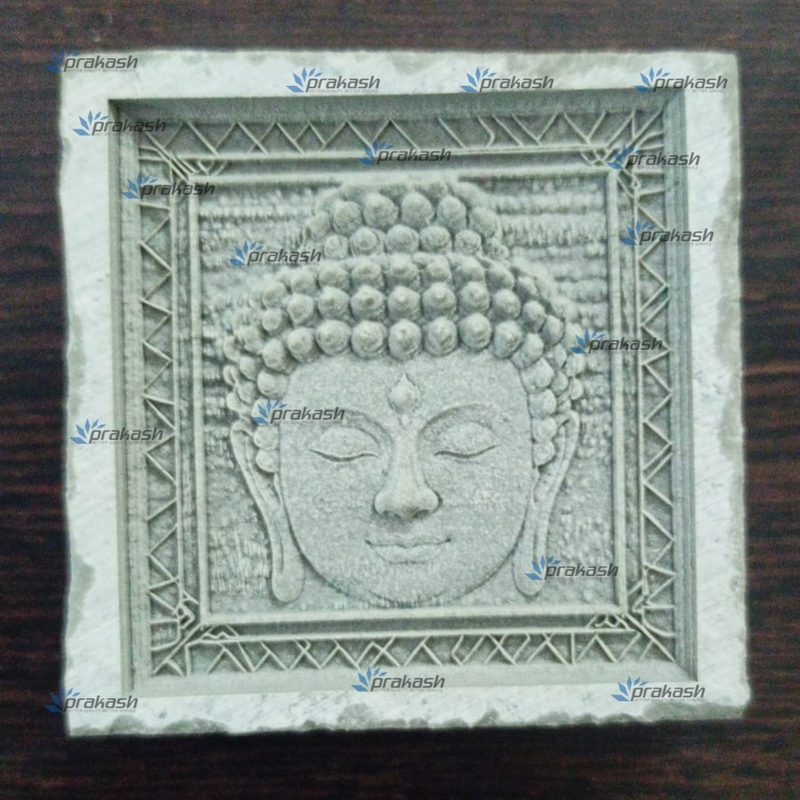
1. Lord Buddha on Grey Slate
- The Design: A centered face of Lord Buddha with a smooth lined background and a complex triangular border frame.
- The Result: The square frame edges remained clean and sharp. The facial features and hair knots turned out with beautiful multi-level depth. The laser naturally lightened the inner stone layers, creating a bright contrast without needing any paint.
2. Lord Shiva on Rough Sandstone
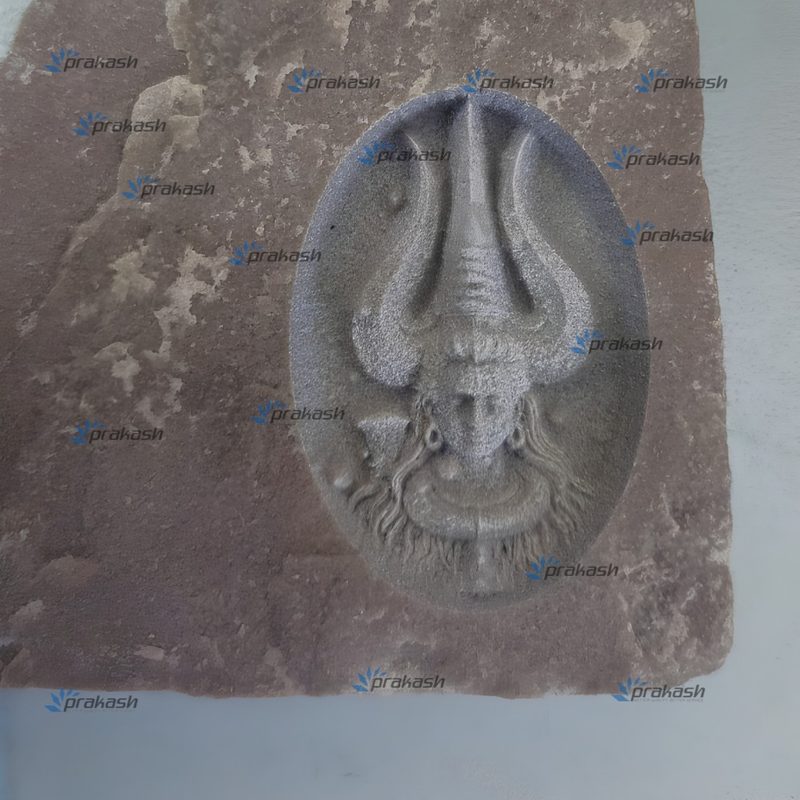
- The Design: An oval-shaped 3D relief of Lord Shiva carved into a rough piece of natural sandstone.
- The Result: The laser carved deep into the stone, producing a smooth curved background inside the oval while leaving the natural, rugged rock around it untouched. Details like the hair, face, and trident (trishul) turned out clear and sharp.
Step-by-Step: Setting Up LightBurn Software
LightBurn is a popular software used to control Galvo fiber laser machines. To turn a flat picture into a 3D stone carving, follow these simple steps:
Step 1: Use a 3D Grayscale Image (Heightmap)
To get physical depth, you need a 3D Grayscale Depthmap image instead of a normal photo:
- White areas mean no depth (the laser leaves it at normal height).
- Black areas mean maximum depth (the laser cuts deepest here).
- Gray tones mean medium depth.
Step 2: Load the Image in LightBurn
- Open LightBurn and import your grayscale picture (
File > Import). - Set the Image Mode to 3D Sliced or Grayscale.
- Enable Multi-Pass / Sub-slice. Deep carving requires the laser to pass over the stone many times to remove layer after layer.
Step 3: Recommended Laser Settings
Every stone and laser wattage is slightly different, but here is a great starting point for 30W, 50W, or 60W Fiber Lasers:
| Setting | Recommended Value | Why It Matters |
| Speed | 1000 – 2500 mm/s | High speed keeps the stone from overheating and cracking. |
| Power | 60% – 90% | High power helps vaporize the mineral content. |
| Frequency (kHz) | 30 – 50 kHz | Lower frequency creates stronger pulses to blast away stone particles. |
| Line Interval | 0.02 – 0.05 mm | Sets how close the laser lines are. Smaller spacing gives a smoother finish. |
| Hatch Angle Change | 45° or 90° rotation | Rotating the laser angle every pass prevents ugly line patterns on the bottom. |
Pro Tips for Better Stone Engraving
- Pick the Right Stone: Soft stones like slate and sandstone carve quickly and give great contrast. Hard stones like granite and marble need higher laser power and more passes.
- Use Dust Extraction: Lasers turn stone into fine powder and dust. Always use an industrial Prakash Laser Fume Extractor to keep your laser lens clean and protect your lungs.
- Clean & Seal the Finished Piece: Wash the carved stone with water and a soft brush to remove loose dust. Once dry, apply a stone sealer or “wet-look” varnish to make the deep colors pop.
Where Can You Use Stone Laser Engraving?
- Home & Temple Decor: Custom stone wall art, marble tiles, slate coasters, and temple panels.
- Plaques & Nameplates: Outdoor house nameplates, memorial stones, and company logos.
- Personalized Gifts: Custom stone keepsakes, 3D portraits, and awards.
Upgrade Your Business with Prakash Laser
At Prakash Laser, we build heavy-duty Fiber Laser Marking Machines, CO2 Laser Cutters, and UV Lasers designed for easy operation and long life.
We offer free sample testing, parameter tuning, and step-by-step training on LightBurn and EZCAD software so you can start carving stone, metal, or acrylic right away.
Want to try a test sample?
Contact Prakash Laser today to speak with our laser experts or book a live demonstration!