

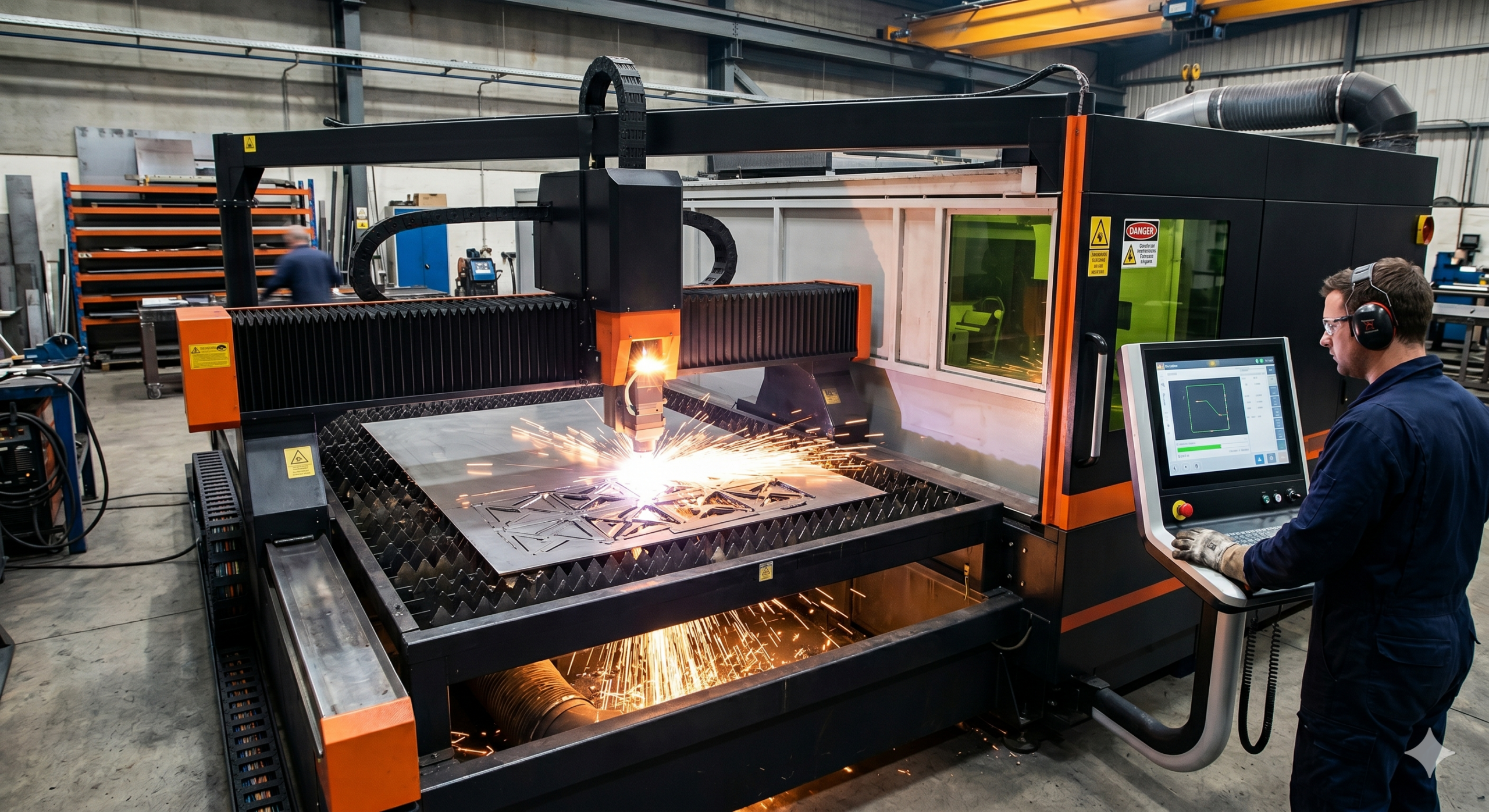
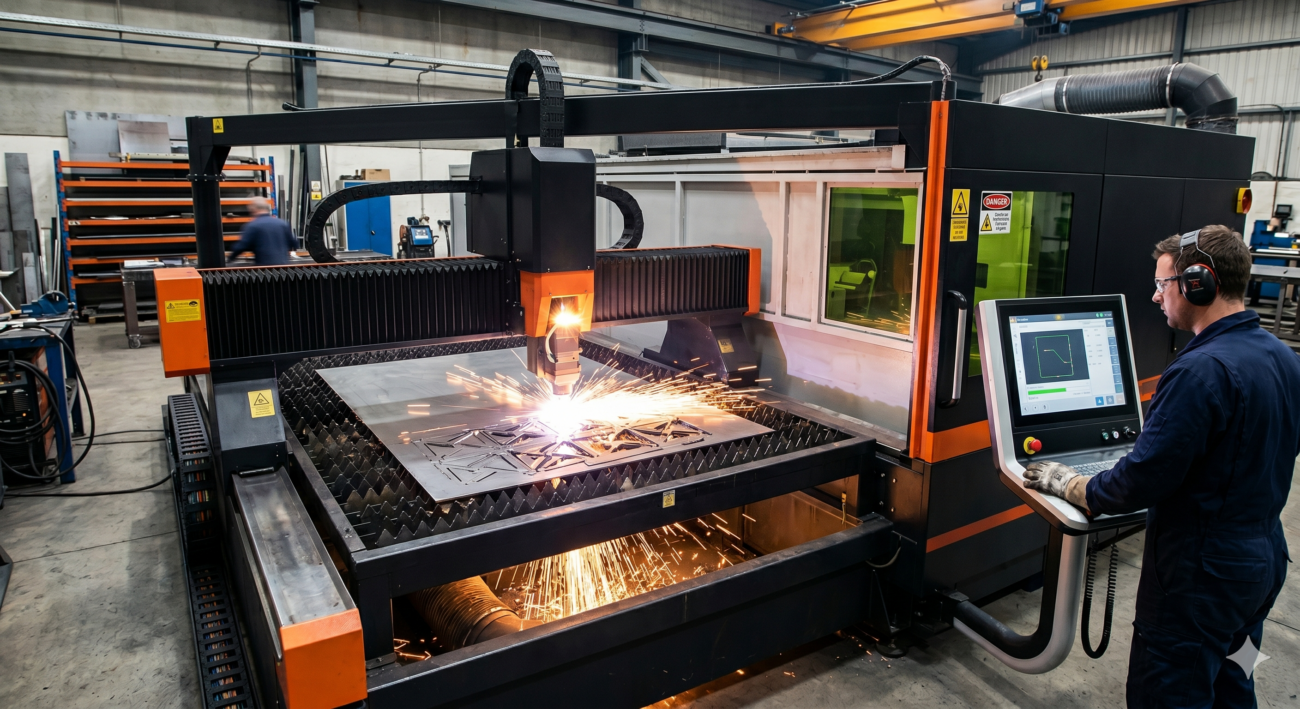
A fiber laser cutting machine is one of the most powerful investments your business can make. But like any high-precision industrial equipment, fiber laser cutting machine problems disrupt production, reduce cut quality, and increase operating costs if left unaddressed.
Whether you own a 1kW fiber laser cutter or a high-powered 6kW fiber laser cutting machine for metal, the troubleshooting principles remain the same. In this guide, we cover the most common fiber laser cutting machine problems and provide clear, actionable fixes so you can get back to cutting at full efficiency.
— Quick Reference —
Problem Overview — At a Glance
Use the table below to quickly identify your issue and jump to the relevant section.
| S.no | Problem | Most Likely Cause | Priority |
| 1 | Poor Cut Quality / Rough Edges | Dirty lens / wrong focus | High |
| 2 | Machine Not Cutting Through | Insufficient power / wrong gas pressure | High |
| 3 | Excessive Burr or Slag | Assist gas issue / slow cutting speed | Medium |
| 4 | Beam Misalignment | Optical path deviation | High |
| 5 | Laser Power Fluctuation | Power supply or fiber source issue | High |
| 6 | Cutting Head Collision | Wrong Z-axis height / sensor failure | High |
| 7 | Overheating / Chiller Alarm | Coolant level or blocked water flow | Medium |
| 8 | Software / CNC Errors | File format / parameter mismatch | Low |
— Problem 01 —
Poor Cut Quality — Rough Edges, Striations & Dross
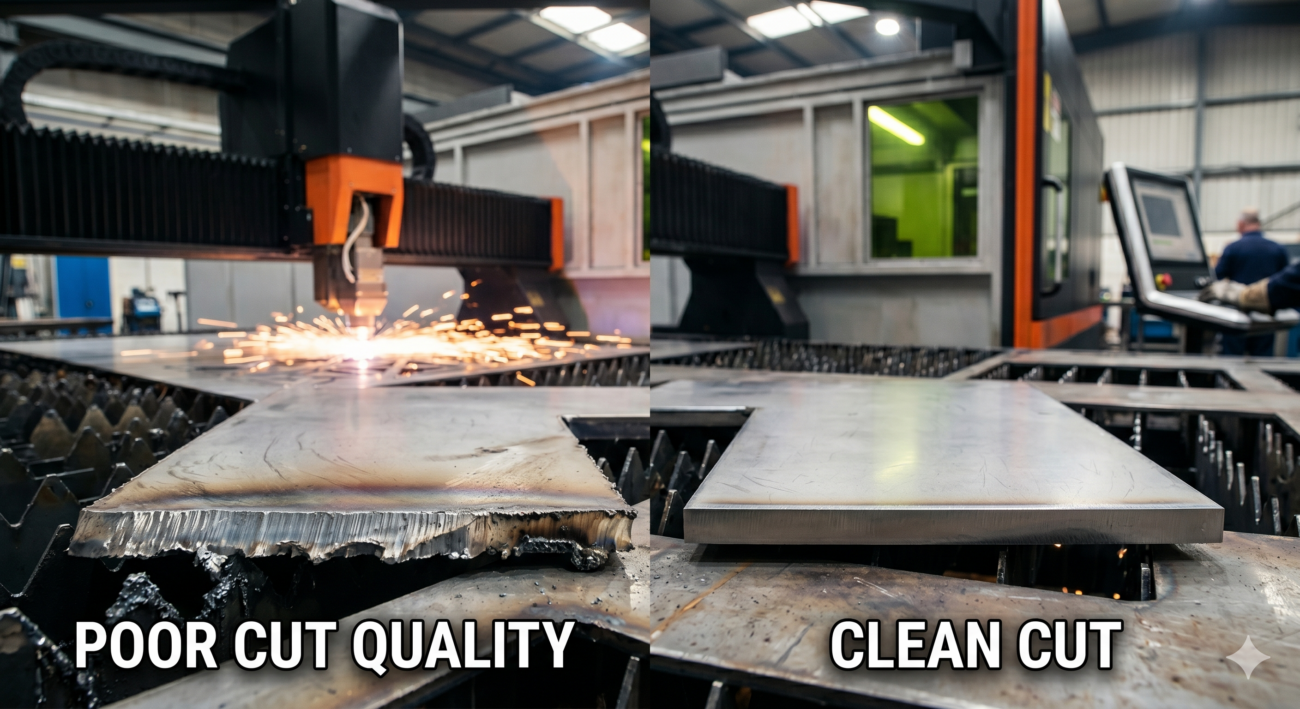
This is the most frequently reported fiber laser cutting machine problem. Operators notice wavy cut lines, rough edges, or a striated (striped) pattern on the cut surface. Poor cut quality wastes material and increases post-processing time.
| COMMON CAUSES | HOW TO FIX |
| → Dirty or damaged focus lens → Incorrect focal point (too high or low) → Cutting speed too fast for material thickness → Incorrect laser power settings → Low assist gas pressure → Worn or damaged nozzle tip | ✓ Clean the focus lens with optical-grade wipes ✓ Re-calibrate focal length for material thickness ✓ Reduce cutting speed by 10–15% and test ✓ Adjust laser power in 5% increments ✓ Check and reset gas pressure to specification ✓ Replace nozzle if deformed or clogged |
| PRO TIP Always run a focus test on scrap material before starting a new production batch. A simple focus ramp test — cutting at different Z-heights — takes 2 minutes and saves hours of rework. |
— Problem 02 —
Fiber Laser Cutting Machine Not Cutting Through Material
If your fiber laser cutting machine is not cutting through metal sheets completely, it is a serious production stopper. This is especially common after material changes or when cutting thicker stock like 10mm or 12mm mild steel.
| COMMON CAUSES | HOW TO FIX |
| → Laser power set too low for material thickness → Incorrect cutting speed (too fast) → Wrong assist gas type (e.g., air instead of O₂) → Focus point above material surface → Fiber laser source degradation over time → Contaminated or scratched protective window | ✓ Increase power to the recommended level for thickness ✓ Slow down cutting speed for thicker materials ✓ Switch to oxygen (O₂) for carbon steel cutting ✓ Set focal point 1/3 into the material thickness ✓ Check laser source output power with a power meter ✓ Inspect and replace the protective window lens |
— Problem 03 —
Excessive Burr or Slag on the Cut Edge
Burr is the molten metal that solidifies on the bottom edge of a cut. Excessive burr increases grinding and finishing time, affects part dimensions, and is a clear sign something is off with your fiber laser cutting parameters.
| COMMON CAUSES | HOW TO FIX |
| → Assist gas pressure too low → Wrong nozzle diameter for material → Cutting speed too slow → Focus point set incorrectly (too low) → Gas purity below 99.5% (for nitrogen) → Power too high for thin sheet metal | ✓ Increase nitrogen/oxygen pressure to recommended level ✓ Match nozzle diameter to material and power ✓ Increase cutting speed slightly ✓ Adjust focal point upward (toward nozzle) ✓ Use industrial-grade high-purity gas ✓ Reduce power for thinner sheets (<3mm) |
| PRO TIP For stainless steel cutting with nitrogen, maintain gas purity above 99.99% and pressure between 10–20 Bar. Impure nitrogen is one of the top causes of yellow-tinted, burred edges on stainless. |
— Problem 04 —
Laser Beam Misalignment
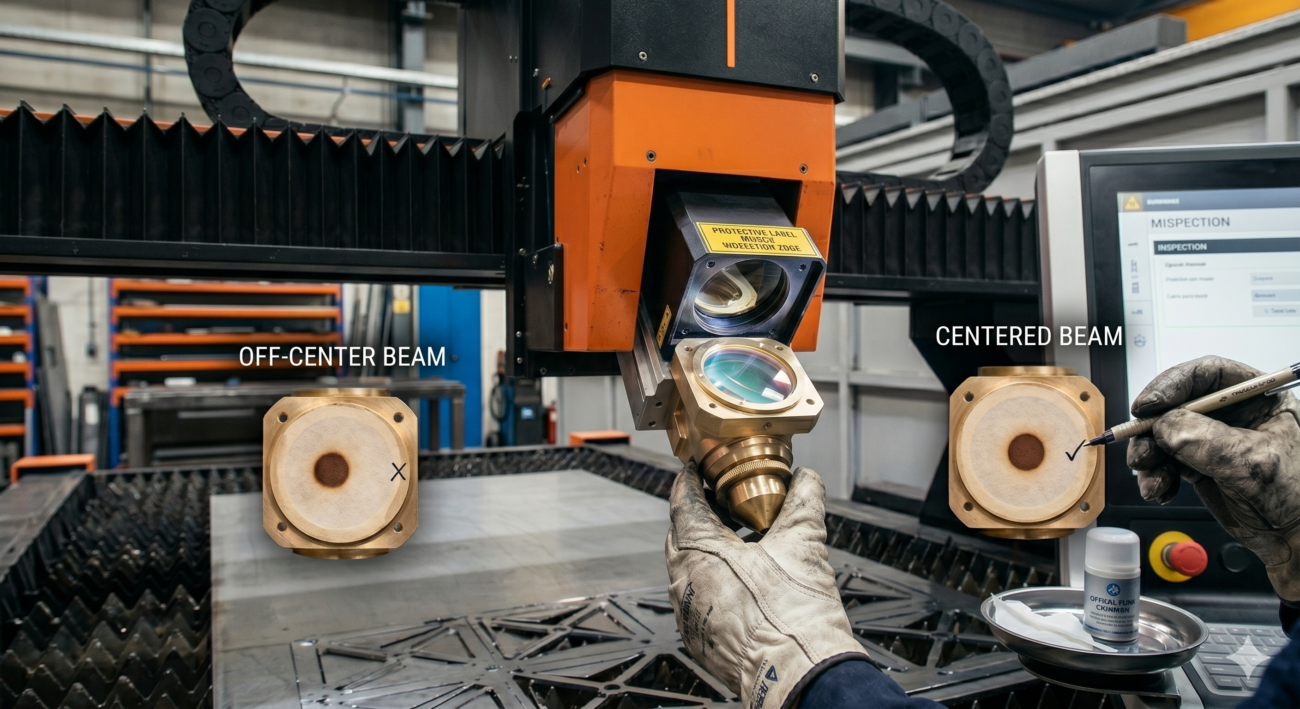
Beam misalignment in a fiber laser cutting machine causes asymmetric cuts, one-sided burr, and inconsistent edge quality. Fiber lasers use a flexible fiber optic delivery system, but misalignment can still occur at the cutting head level.
| COMMON CAUSES | HOW TO FIX |
| → Cutting head not mounted centrally on nozzle → Loose or damaged fiber connector → Physical shock or collision damage → Worn collimating lens inside the head → Nozzle not concentric with beam | ✓ Perform a beam centering test using tape on the nozzle ✓ Check and re-tighten the fiber connector joint ✓ Inspect collimating lens for damage or contamination ✓ Replace the nozzle and re-center ✓ Contact manufacturer if issue persists after above steps |
— Problem 05 —
Laser Power Fluctuation or Unstable Output
Inconsistent laser power during cutting causes uneven depth, partial cuts, and scrap material. This problem often worsens progressively and is easy to misdiagnose as a software issue.
| COMMON CAUSES | HOW TO FIX |
| → Aging fiber laser source (reduced output over time) → Unstable input power supply / voltage spikes → Loose electrical connections to laser source → Overheating due to chiller malfunction → Driver board failure in the laser module | ✓ Measure output with a laser power meter to confirm ✓ Install a voltage stabiliser / UPS on input power ✓ Inspect and secure all electrical terminals ✓ Ensure chiller is maintaining correct temperature ✓ Contact your laser source supplier for diagnostics |
| PRO TIP In India, voltage fluctuations are a leading cause of laser power instability. A servo-controlled voltage stabiliser (SVS) rated for your machine’s kVA load is an excellent, low-cost preventative investment. |
— Problem 06 —
Cutting Head Collision with Material
A cutting head collision is a critical failure that can damage the nozzle, focus lens, and even the laser head body. It usually happens when the capacitive height sensor fails to detect the material surface correctly.
| COMMON CAUSES | HOW TO FIX |
| → Height sensor contaminated with spatter → Warped or uneven sheet metal on the table → Incorrect Z-axis initial height setting → Sensor cable damage or loose connector → Cutting head crash protection not calibrated | ✓ Clean the capacitive sensor ring with a dry cloth ✓ Use a flat, properly clamped sheet on the worktable ✓ Reset Z-axis home position before every new job ✓ Inspect sensor cable and replace if damaged ✓ Recalibrate the anti-collision sensor sensitivity |
| PRO TIP Always run a dry pass (laser off, head moves through the full cutting path) on new or irregularly-shaped jobs before starting the actual cut. This takes 60 seconds and can prevent costly head damage. |
— Problem 07 —
Overheating — Chiller Alarm & Temperature Warning
Fiber laser cutting machines rely on water-cooled chillers to maintain optimal operating temperature. An overheating alarm should never be ignored — sustained high temperatures degrade the laser diodes and dramatically shorten the machine’s lifespan.
| COMMON CAUSES | HOW TO FIX |
| → Low coolant water level in chiller tank → Blocked or kinked coolant hoses → Chiller filters clogged with algae or scale → Ambient temperature too high (above 35°C) → Chiller compressor or pump failure → Coolant quality degraded (contaminated water) | ✓ Top up coolant level with distilled water + antifungal additive ✓ Inspect all hoses for kinks, cracks, and blockages ✓ Clean chiller filters every 30–60 days ✓ Ensure machine room is ventilated and below 35°C ✓ Service the chiller compressor annually ✓ Replace coolant completely every 6–12 months |
— Problem 08 —
Software Errors, CNC Faults & Program Issues
Not all fiber laser cutting machine problems are mechanical. Software errors — including incorrect file formats, parameter mismatches, and CNC controller faults — can halt production just as effectively as hardware failures.
| COMMON CAUSES | HOW TO FIX |
| → Incompatible DXF/DWG file version or scale → Wrong cutting parameters loaded for material → CNC controller firmware outdated → Motion controller communication error → Incorrect units (mm vs inches) in design file | ✓ Export DXF files in AutoCAD R14 or 2000 format ✓ Load the correct material and thickness preset from library ✓ Keep CNC software updated to the latest stable version ✓ Check communication cables between PC and controller ✓ Always verify units and scale before sending to machine |
— Maintenance —
Preventive Maintenance Checklist for Fiber Laser Cutting Machines
The best way to avoid fiber laser cutting machine problems is a consistent maintenance routine. Use this checklist to protect your investment.
| Daily ☐ Clean the protective window lens ☐ Check nozzle for damage or blockage ☐ Inspect coolant level in chiller ☐ Verify assist gas pressure readings ☐ Clear slag and debris from cutting table | Weekly ☐ Clean focus lens (if accessible) ☐ Lubricate X/Y axis guide rails ☐ Check drive belt tension ☐ Inspect dust filter on electrical cabinet ☐ Run a beam centering test | Monthly ☐ Deep clean chiller filter ☐ Inspect all electrical connections ☐ Check gas hoses for leaks ☐ Test anti-collision sensor response ☐ Measure and record actual laser output power | Every 6-12 Months ☐ Full coolant water replacement ☐ Laser source professional inspection ☐ Replace worn nozzles and lenses ☐ CNC controller calibration check ☐ Chiller compressor service |
— Conclusion —
Stay Ahead of Fiber Laser Cutting Machine Problems
A fiber laser cutting machine is built for high performance, long life, and exceptional precision — but only when properly maintained and operated within the correct parameters. Most of the problems described in this guide are entirely preventable with a structured maintenance schedule and trained operators.
Key takeaways: keep your optical components clean, maintain your chiller diligently, calibrate your parameters for every material change, and never ignore early warning signs like minor quality degradation or unusual machine sounds.
At Prakash Laser, our fiber laser cutting machines are built for Indian industrial conditions and are backed by expert after-sales support. If you are facing a problem not covered here or need a factory-trained technician, our team is ready to help.
Contact Prakash Laser: +91-9871377550 | sale@lasercuttingmachines.co.in | lasercuttingmachines.co.in